
Customer operationsCRM Workspace Preview
CRM Workspace Preview
ProCRM Customer Workspace.
The supplied interface preview shows quick actions and summary views for contacts, companies, leads, deals, tasks, conversations, tickets, and service activity.
Discuss a similar platform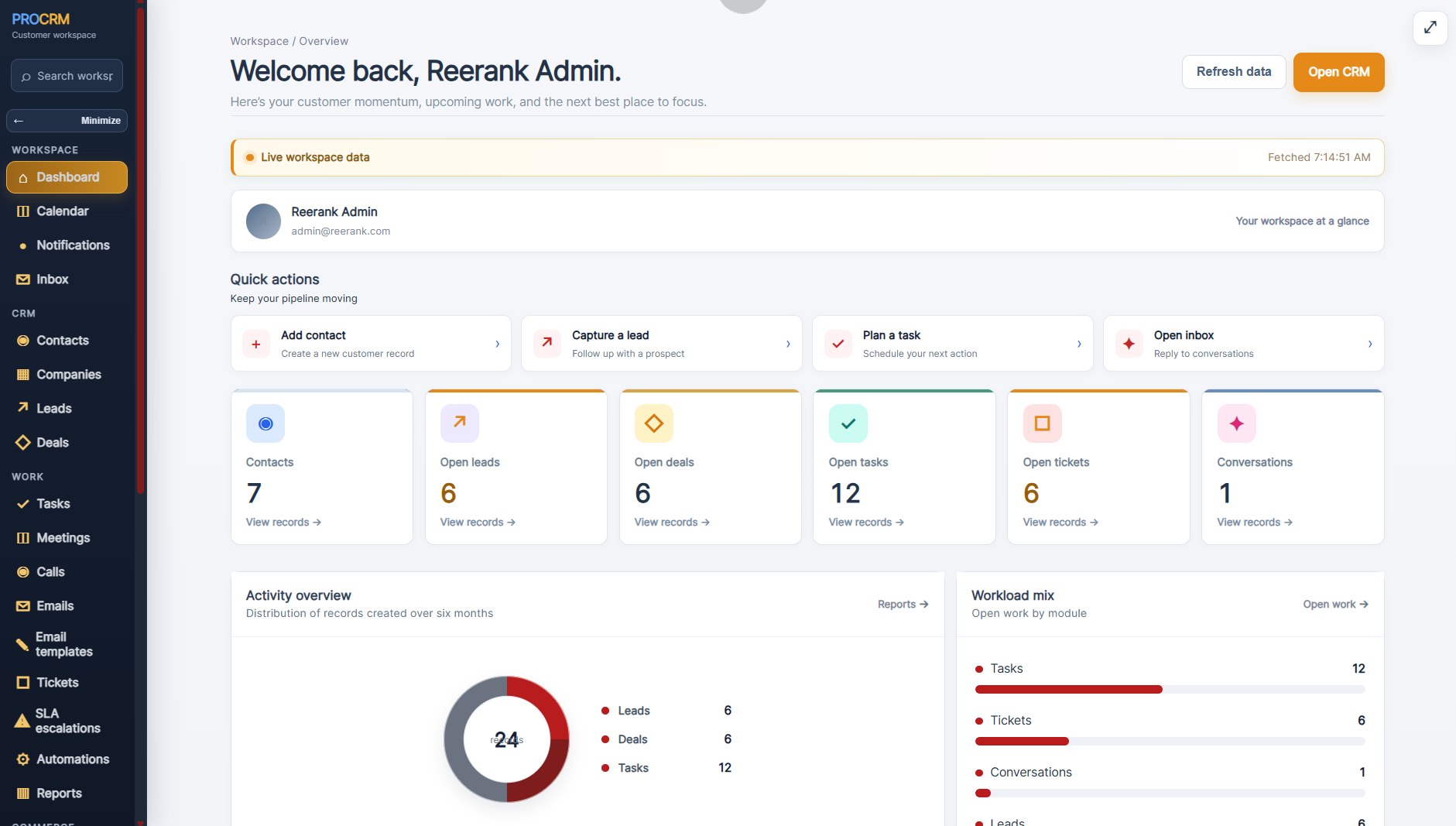
Platform overview
Built around a clear operational view.
A CRM interface preview showing customer records, sales activity, tasks, conversations, and service work.
Designed for
Teams exploring how customer records, follow-up, and service activity might be organized in a CRM workspace.
This interface preview illustrates visible screens and workflows; figures shown are not presented as verified business results.
What the preview shows
Core workflows at a glance.
The points below describe the functionality shown in the supplied platform preview. Other features or integrations should be confirmed for the specific product scope.
Tasks, meetings, and conversations
Customer support and service activity
Dashboard summaries and workload views
Confidential portfolio access
Want to See Our Real Portfolio and Live Projects?
To protect our clients' confidentiality and business interests, we do not publicly disclose customer names, private portfolio links, or confidential live project URLs. If you would like to review relevant portfolio examples and live projects, please submit your details below. Our team will review your request and contact you regarding available references.
Your information will be used to respond to your inquiry. Access to confidential project information is subject to client permissions and applicable confidentiality obligations.
Security verification is not configured for this environment. Please email us directly while setup is completed.
Product questions
About crm workspace preview.
Ask us about the workflows shown here or describe the needs of your own team.
What does this CRM preview show?
The supplied screenshot shows quick actions and dashboard views for contacts, companies, leads, deals, tasks, conversations, tickets, and service activity.
Are the figures shown verified customer results?
No business performance result is claimed by this interface preview. The figures are visible screen content, not an independently verified outcome.
Does the screenshot confirm integrations or product availability?
No. The image illustrates an interface only. Product status, integrations, and availability should be discussed and confirmed for a specific enquiry.
Discuss a platform
Have a related product idea?
Tell us about your users, workflows, and what you want the platform to make easier.
Start a conversation
Consultation
Planning
Delivery